
- 🥇 Best Overall: Uplift V2 Standing Desk — The strongest mix of stability, sizes, accessories, warranty, and real home-office flexibility.
- 💰 Best Value: FlexiSpot E7 Pro — A sturdy dual-motor frame with premium lifting capacity at a midrange price.
- 🏢 Best Corporate-Style Desk: Vari Electric Standing Desk — Fast assembly, polished laminate tops, and a simple buying process.
- 🛋️ Best for Small Apartments: Branch Duo Standing Desk — Compact sizes, quiet motion, and a clean look that works in shared rooms.
- 🌿 Best Bamboo Desk: Herman Miller Jarvis Standing Desk — A proven design with attractive tops and strong ergonomic accessory support.
- 🎮 Best for Gaming and Cable Management: Secretlab Magnus Pro — Built-in power routing, a full-length tray, and magnetic accessories keep gear tidy.
- 🪵 Best Luxury Wood Desk: Ergonofis Sway Desk — Solid wood, soft curves, premium controls, and a furniture-grade finish.
- 🧰 Best Budget Electric Desk: SHW Electric Height Adjustable Desk — Low cost, simple controls, and enough range for basic laptop work.
- 🧑💻 Best for Heavy Gear: Deskhaus Apex Pro — Four-leg stability for stacked monitors, speakers, desktops, and studio hardware.
- 🏠 Best IKEA Option: IKEA MITTZON Sit/Stand Desk — Easy returns, replaceable parts, and a practical price for first-time buyers.
- 🧘 Best Manual Desk: Humanscale Float — A counterbalance design that moves without motors or daily button pressing.
- 💼 Best Executive Upgrade: Herman Miller Renew Sit-to-Stand Desk — Quiet, refined, and built for a polished professional office.
A standing desk is no longer a startup-office novelty; it is one of the easiest ways to make a home office feel healthier, cleaner, and more intentional. The right model helps you alternate positions, fit your monitor at eye level, hide cables, and keep work gear from taking over your living space.
The best standing desks for home office use are not all expensive, and the cheapest one is not always the smartest buy. You want the correct height range for your body, a stable frame for your monitors, a top that fits your room, and a warranty that will still matter after thousands of lift cycles.
1Uplift V2 Standing Desk
Best for: You want the safest all-around choice with deep customization, excellent stability, and room to grow your setup.
The Uplift V2 is the benchmark electric standing desk for many home offices because it solves the biggest buying problem: you do not have to compromise much. You can choose compact 42-inch tops, wide 80-inch executive surfaces, laminate, bamboo, rubberwood, solid wood, curved fronts, keyboard trays, monitor arms, drawers, casters, grommets, and power accessories. The frame is stable enough for dual monitors and a laptop, while the customization menu lets you build a desk that fits an apartment nook or a dedicated office.
Uplift lists the V2 frame with a 355-pound lifting capacity and a height range of roughly 25.3 to 50.9 inches on the standard frame, with a lower commercial frame available for shorter users and ANSI/BIFMA-style office requirements. A common 60-by-30-inch laminate configuration usually lands around $700 to $900 depending on sales and accessories. You can review current sizes, tops, frame colors, and warranty details on the official Uplift V2 standing desk page.
Buy the advanced keypad if you share the desk or want fast sit/stand presets; it is worth the upgrade over basic up-down controls. If you use a heavy monitor arm, mount it near the frame support rather than the far back corner of a wide top. The V2 is not the cheapest desk, and the accessory menu can push the total past $1,000 quickly, but it is the desk you buy when you want one purchase to last through several home-office layouts.
2FlexiSpot E7 Pro
Best for: You want strong lifting power and modern stability without paying boutique-desk prices.
The FlexiSpot E7 Pro is one of the most compelling value picks because it gives you a strong dual-motor frame, a C-leg design, and a high stated weight rating at a price that regularly undercuts premium rivals. The C-leg layout places the columns slightly toward the back, giving your chair and knees more room when seated. That makes it especially comfortable if you alternate between typing, handwriting, and video calls throughout the day.
FlexiSpot advertises the E7 Pro with a 440-pound load capacity and a height range of about 22.8 to 48.4 inches, which is generous for shorter users and still workable for many taller users. Frame-only pricing often starts around $499.99 before discounts, while complete desk packages vary by top size and material. The four memory presets, anti-collision function, and quiet operation make it feel more expensive than many desks in the same price band.
The best configuration for most homes is a 55-by-28-inch or 60-by-30-inch top, because it gives you enough depth for a monitor arm without overwhelming a bedroom office. If you mount a 34-inch ultrawide monitor, tighten all hardware after the first week; small settling movement is normal with assembled frames. Skip the E7 Pro only if you want a furniture-grade hardwood top out of the box or a brand with a longer track record in corporate procurement.
3Vari Electric Standing Desk
Best for: You want a polished, low-hassle standing desk that assembles quickly and looks office-ready on day one.
Vari built its reputation on simplicity, and the Vari Electric Standing Desk is ideal if you do not want to spend an evening comparing frame kits, top materials, and third-party accessories. It arrives with a finished laminate surface, sturdy T-style legs, a cable tray option, and clear assembly steps. The desk has a clean commercial look, which works well if your home office doubles as a client-facing video-call background.
The popular 60-by-30-inch Vari Electric Standing Desk often sells around $850, while the 48-by-30-inch version is usually less. Vari lists a 200-pound weight capacity, programmable height settings, and a height range that suits most average-height adults. The laminated tops are not exotic, but they are practical: they resist coffee rings better than many budget wood veneers, and the chamfered edge feels more finished than a basic slab.
Choose Vari if you value convenience more than endless customization. You will not get the same wide accessory ecosystem as Uplift or the same load rating as the FlexiSpot E7 Pro, but you do get a desk that feels intentionally packaged for normal buyers. If you plan to run a desktop PC, speakers, two large displays, and camera lights, the 200-pound rating is the main reason to look elsewhere.
4Branch Duo Standing Desk
Best for: You work from a small apartment, bedroom, or multipurpose room where proportions matter as much as specs.
The Branch Duo is a smart answer to a common home-office problem: many standing desks are too deep, too corporate, or too visually heavy for real homes. Duo keeps the design lighter, with rounded corners, compact footprints, and softer finishes than most industrial-looking frames. It is especially good if your desk sits in a living room, guest room, or rental where a giant 72-inch workstation would dominate the space.
Branch offers Duo in 36-by-24-inch and 48-by-24-inch sizes, with pricing commonly starting around $499. It includes a quiet lift system, memory presets, collision detection, and a weight capacity around 275 pounds depending on configuration. The smaller 36-inch model is genuinely compact: it fits a laptop, notebook, desk lamp, and one external monitor, but it will feel tight for dual monitors unless you use an arm.
The 24-inch depth is the key caveat. It saves space, but it means you should use a monitor arm or a shallow monitor stand to maintain comfortable viewing distance. Pair it with a low-profile chair and a clamp-on power strip to keep the footprint clean. If your home office is also where you watch sports, craft, or pay bills, Duo is one of the few desks that feels designed for blended home life rather than a converted cubicle.
5Herman Miller Jarvis Standing Desk
Best for: You want a proven adjustable desk with attractive top options and a strong ergonomic ecosystem.
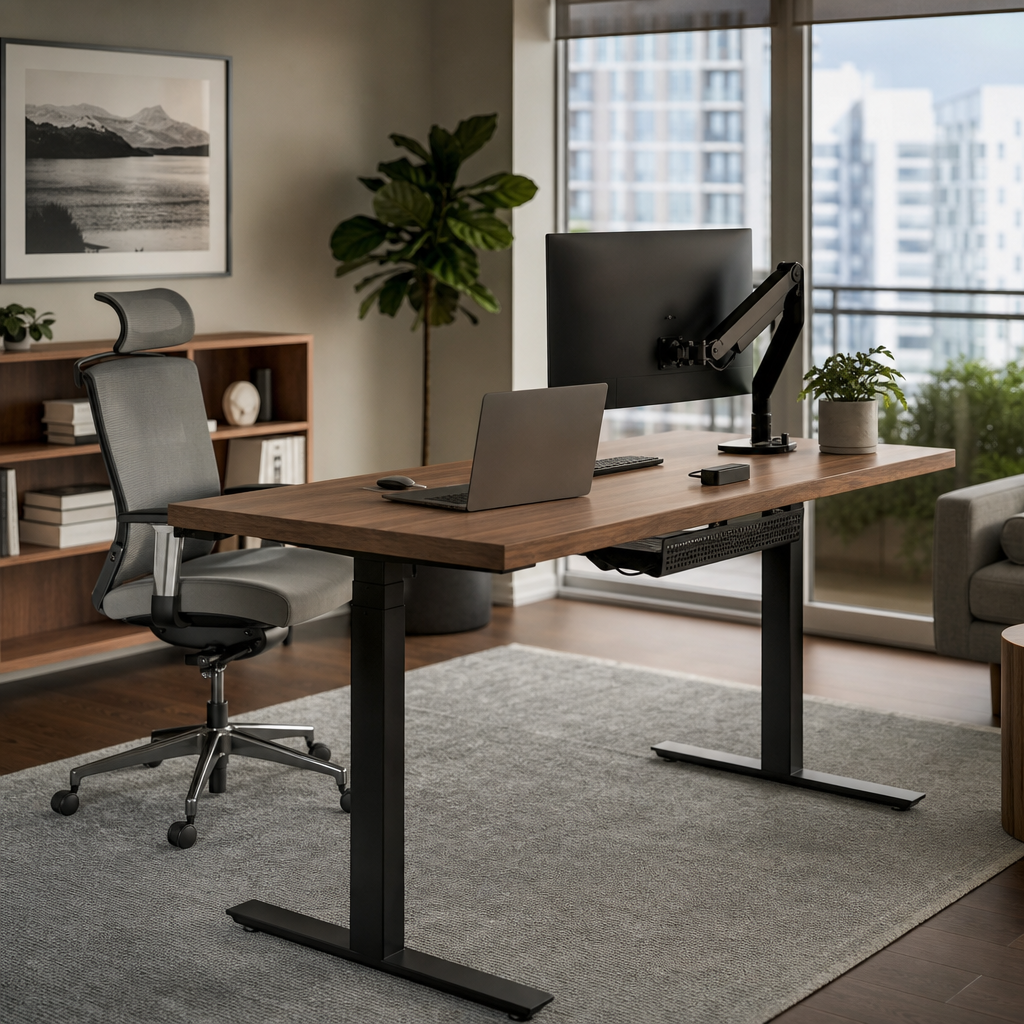
The Jarvis desk, originally popularized by Fully and now sold under Herman Miller, remains one of the most recognizable standing desks because it balances design, performance, and accessory support. It looks warmer than many office desks, especially in bamboo or walnut laminate finishes, and it pairs naturally with monitor arms, cable trays, privacy screens, and ergonomic chairs. For home workers who care about aesthetics, Jarvis is a less sterile alternative to black-frame corporate desks.
Typical Jarvis configurations start in the mid-hundreds and climb toward $1,000 depending on desktop size, contour shape, programmable handset, and accessories. Many versions support up to 350 pounds and offer a height range that works for most users when paired with the correct frame. Herman Miller also gives the product more credibility for buyers who want established customer service rather than an anonymous marketplace seller.
Jarvis is at its best with a 48-by-27-inch or 60-by-27-inch bamboo top, because the depth is comfortable without feeling huge. Bamboo is hard and attractive, but it can dent if you clamp heavy hardware carelessly, so use reinforcement plates with large monitor arms. Avoid over-accessorizing at checkout; start with the programmable handset and cable management, then add monitor arms only after you know your screen layout.
6Secretlab Magnus Pro
Best for: You run a gaming, streaming, or creator setup and want outstanding cable management built into the desk itself.
The Secretlab Magnus Pro is not a traditional wood-topped office desk; it is a steel, sit-stand command center for people with monitors, consoles, speakers, lights, docks, and charging cables. Its defining feature is the integrated rear cable tray and power column, which lets you route power through the desk leg instead of dragging a visible cord loop up and down every time you raise the surface. That single detail can make a home studio look dramatically cleaner.
The standard Magnus Pro is 59.1 inches wide, while the Magnus Pro XL is 70 inches wide. Pricing starts around $799 for the standard model before accessories, and Secretlab lists a height range of about 25.6 to 49.2 inches with a 265-pound load capacity. The magnetic ecosystem includes cable anchors, headphone hangers, monitor arms, RGB lighting strips, and desk mats sized to the steel surface; you can compare the system on the Secretlab Magnus Pro product page.
This is the desk to buy if you hate visible wires more than you love natural wood grain. The steel top feels firm and modern, but some writers prefer a warmer surface for long typing sessions, so a full desk mat is almost mandatory. Also check the depth: 27.6 inches is enough for most monitors, but large speakers and deep monitor stands can crowd the work area unless you use arms.
7Ergonofis Sway Desk
Best for: You want a luxury standing desk that looks like furniture, not equipment.
The Ergonofis Sway is the desk you buy when your home office is part of your home’s design language. Instead of hiding an office workstation in the corner, Sway makes the desk a focal point with solid wood, rounded front edges, premium finish options, and a clean integrated control interface. It feels closer to a custom table than a parts-bin standing desk, which matters if your office is visible from a living area or sits behind you on video calls.
Pricing typically starts around $1,345 and rises with larger sizes and wood choices such as walnut, cherry, maple, and white oak. The desk offers electric height adjustment, memory positions, and a strong frame capable of supporting a serious monitor setup. Ergonofis builds in Canada and emphasizes premium materials, which helps justify the price if you care about surface feel, edge detail, and long-term appearance.
Sway is not the practical choice for someone who just needs a cheap laptop platform. It is heavy, expensive, and worth protecting with coasters, a desk pad, and careful monitor-arm installation. If you use fountain pens, photography gear, or tactile notebooks, you will appreciate the surface every day. If your desk regularly becomes a shipping station, craft bench, or snack table, a laminate model will be easier to live with.
8SHW Electric Height Adjustable Desk
Best for: You need an affordable electric standing desk for basic work and can accept lighter-duty construction.
The SHW Electric Height Adjustable Desk is popular because it makes sit-stand work accessible at a price that can be less than a premium office chair. It is widely sold through major retailers, often in the $180 to $300 range depending on size and color. You do not get a luxury top, advanced frame engineering, or a massive weight rating, but you do get a motorized desk that raises your laptop and monitor without hand cranking.
Common SHW sizes include 40-by-24-inch, 48-by-24-inch, and 55-by-28-inch versions, with many models listing a height range around 28 to 45 inches and a load capacity near 110 pounds. That is enough for a laptop, keyboard, small desktop monitor, lamp, and notebook. It is not enough for stacked ultrawides, tower PCs, heavy studio monitors, and clamp accessories all at once.
Buy SHW if your alternative is working all day from a dining table or fixed desk that hurts your posture. Put the heaviest items near the center, avoid leaning on the front edge at full height, and use a simple felt desk pad to improve the surface feel. Taller users should check measurements carefully because a 45-inch maximum may require a monitor riser to keep the screen at eye level.
9Deskhaus Apex Pro
Best for: You have heavy monitors, audio gear, or a workstation PC and care most about stability.
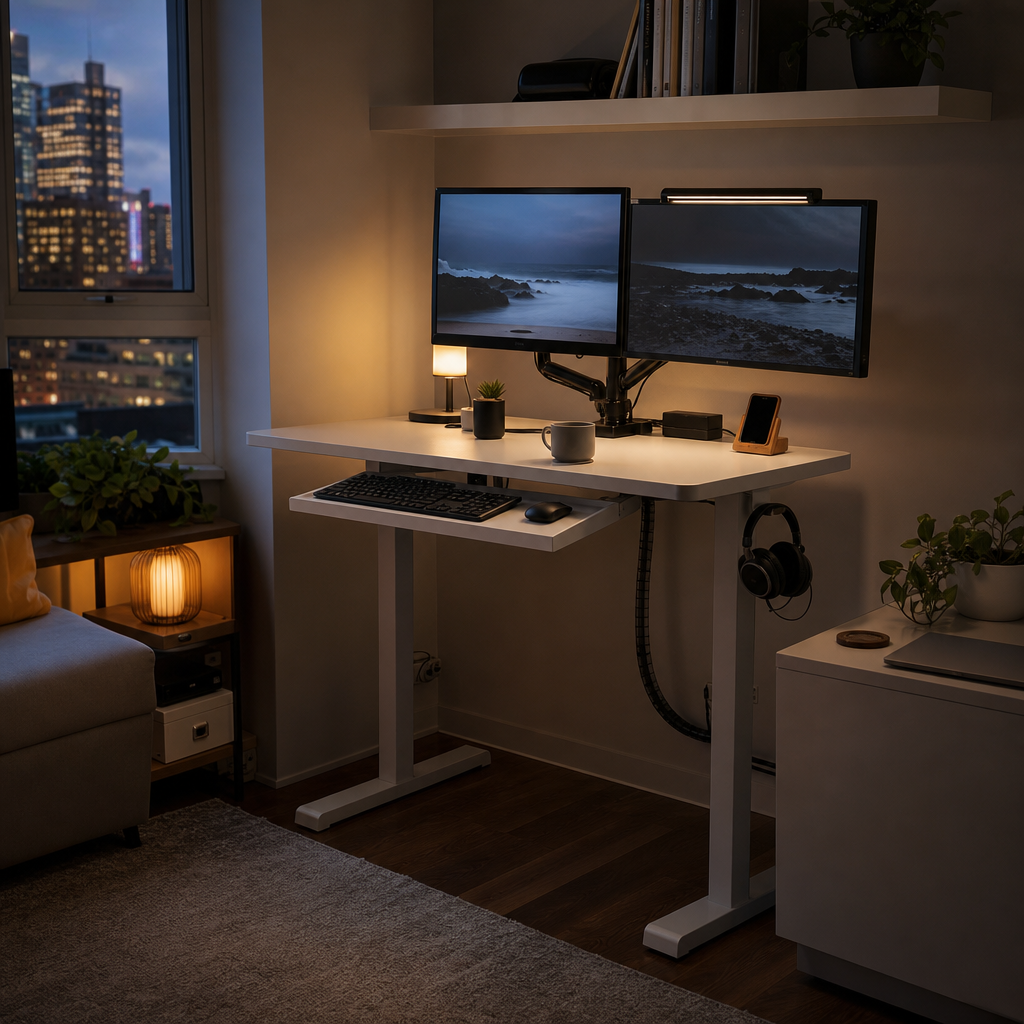
The Deskhaus Apex Pro is for the person who has outgrown wobbly two-leg desks. Its four-leg frame design gives it a planted feel, especially at standing height, where cheaper desks can sway when you type hard or move a mouse aggressively. If your setup includes dual 32-inch monitors, a desktop tower, studio speakers, a camera arm, and a microphone boom, extra frame rigidity is not a luxury; it is what keeps your expensive gear feeling secure.
Apex Pro pricing varies by frame, top, finish, and sales, but the frame alone often costs more than an entire budget standing desk. In return, you get a heavy-duty base, powerful motors, and a design aimed at real workstation loads rather than minimalist laptop setups. The company has built a strong reputation among desk enthusiasts who obsess over side-to-side wobble, crossbar design, motor quality, and top compatibility.
This is not the easiest desk for casual buyers because you may need to think harder about desktop sourcing, shipping weight, and assembly space. It is also overkill if you use only a laptop and a 24-inch monitor. But if you have ever watched a monitor shake while typing at full height, the Apex Pro is the kind of upgrade you notice every minute, not just when you press the height button.
10IKEA MITTZON Sit/Stand Desk
Best for: You want a straightforward standing desk from a retailer with showrooms, easy returns, and matching office storage.
IKEA’s MITTZON sit/stand desk is a practical pick if you want to see a desk in person before buying. That matters more than specs suggest: desktop texture, edge shape, leg color, and footprint all feel different in a room than they look online. MITTZON also fits into IKEA’s broader office system, so you can add drawer units, cable accessories, pegboards, and shelving without mixing visual styles.
MITTZON replaced and modernized parts of IKEA’s office-desk lineup in many markets, with electric sit/stand versions commonly available in compact and standard sizes. Prices vary by region and finish, but the line is generally positioned below premium direct-to-consumer desks and above the cheapest marketplace models. You can review local dimensions, colors, and availability through the IKEA MITTZON office system.
The main advantage is risk reduction. If a motor fails, a top arrives damaged, or the color looks wrong, IKEA’s store network and parts system are easier to deal with than many online-only sellers. The tradeoff is that you may get fewer premium keypad, frame, and hardwood options. MITTZON is best for first-time standing-desk buyers who want a normal, serviceable, decent-looking desk without turning the purchase into a research project.
11Humanscale Float
Best for: You want smooth sit-stand movement without electric motors, presets, or power dependence.
The Humanscale Float takes a different approach from the electric desks on this list. It uses a counterbalance mechanism, so you squeeze a paddle and move the surface up or down manually with very little effort once it is properly tensioned. That makes it appealing in quiet homes, shared bedrooms, therapy offices, and minimalist workspaces where motor noise, cables, and digital controls feel unnecessary.
Humanscale is a serious ergonomics brand, and Float is priced accordingly, often reaching well above $1,500 depending on size and finish. The desk is designed for frequent movement rather than occasional showpiece standing. Because the lift is manual, you are more likely to make small adjustments throughout the day instead of leaving the desk in one preset position for hours. The broader concept behind these products is the sit-stand desk, which is about changing posture rather than standing nonstop.
The catch is weight management. Counterbalance desks need to be tuned to the load on the surface, so adding a heavy monitor or removing a desktop printer may require adjustment. Float is a poor match for people who constantly change equipment. It is excellent for a stable, refined setup with one or two monitors, a keyboard, and a disciplined workspace.
12Herman Miller Renew Sit-to-Stand Desk
Best for: You want a premium executive desk with corporate-grade refinement and understated design.
The Herman Miller Renew is the grown-up choice for a dedicated professional office. It does not chase gaming aesthetics, influencer accessories, or budget-frame spec wars. Instead, it focuses on quiet movement, refined surfaces, durable components, and a design that fits with high-end task chairs and professional storage. If you meet clients, manage a team remotely, or want your home office to feel like a serious workplace, Renew has the right visual tone.
Renew configurations can easily exceed $2,000 depending on size, finish, and dealer pricing. That puts it in a different category from consumer direct desks, but you are paying for contract-furniture pedigree, design consistency, and long-term serviceability. The height range and capacity are designed for normal professional workstations rather than extreme gear loads, so it is best with a monitor arm, laptop dock, task light, and tidy cable plan.
Consider Renew if your desk sits in a finished study, law office, consulting space, or executive home office where build quality and presentation matter. Do not buy it if you are trying to maximize specs per dollar; FlexiSpot, Uplift, or Deskhaus will give you more raw performance for less money. Renew is about quiet confidence, not bargain hunting.
The best standing desk for your home office is the one that fits your body, your room, and your actual equipment. For most people, the Uplift V2 is the safest premium all-rounder, the FlexiSpot E7 Pro offers the strongest value, and the Branch Duo or IKEA MITTZON make the most sense for smaller homes.
Remember that a standing desk is not a command to stand all day. The most comfortable setup is one that lets you shift positions, keep your screen at eye level, rest your feet, and move often enough that work stops feeling locked to one posture.
Frequently Asked Questions
What is the best standing desk for most home offices?
The Uplift V2 is the best overall choice for most people because it offers strong stability, many size options, a high weight capacity, and excellent accessory support. If you want a lower price, the FlexiSpot E7 Pro gives you impressive performance for less money.
How much should you spend on a good standing desk?
Expect to spend $400 to $900 for a reliable electric standing desk with a decent frame, programmable controls, and a practical desktop. Budget models under $300 can work for light laptop setups, while premium wood or corporate-grade desks often cost $1,200 to $2,500.
Is a standing desk actually better for you?
A standing desk is useful because it helps you change posture, but it is not a substitute for walking, stretching, or exercise. The goal is to alternate between sitting and standing, not to stand motionless for eight hours.
What height range should a standing desk have?
Your elbows should sit close to a 90-degree angle when typing, and your monitor should be near eye level. Shorter users should look for desks that lower to about 23 inches, while taller users may need a desk that rises to 49 inches or more.
Are two-leg standing desks stable enough?
Yes, a quality two-leg desk is stable enough for most laptop and dual-monitor setups. If you use very heavy monitors, studio speakers, or a desktop tower on the desk, a four-leg frame such as the Deskhaus Apex Pro will feel more secure.
What desktop size is best for working from home?
A 48-by-24-inch desk works for a laptop and one monitor in a small room, while 60-by-30 inches is the sweet spot for dual monitors and deeper accessories. Go wider only if you have the room and can keep the surface organized.
Do you need a monitor arm with a standing desk?
You do not need one, but a monitor arm improves ergonomics and frees desk space. It is especially helpful on 24-inch-deep desks, where a standard monitor stand can sit too close to your face.
What accessories are worth buying first?
Start with a programmable keypad, cable tray, surge protector, anti-fatigue mat, and monitor arm if your screen height is wrong. Skip decorative accessories until you know your daily workflow and cable routing.


